
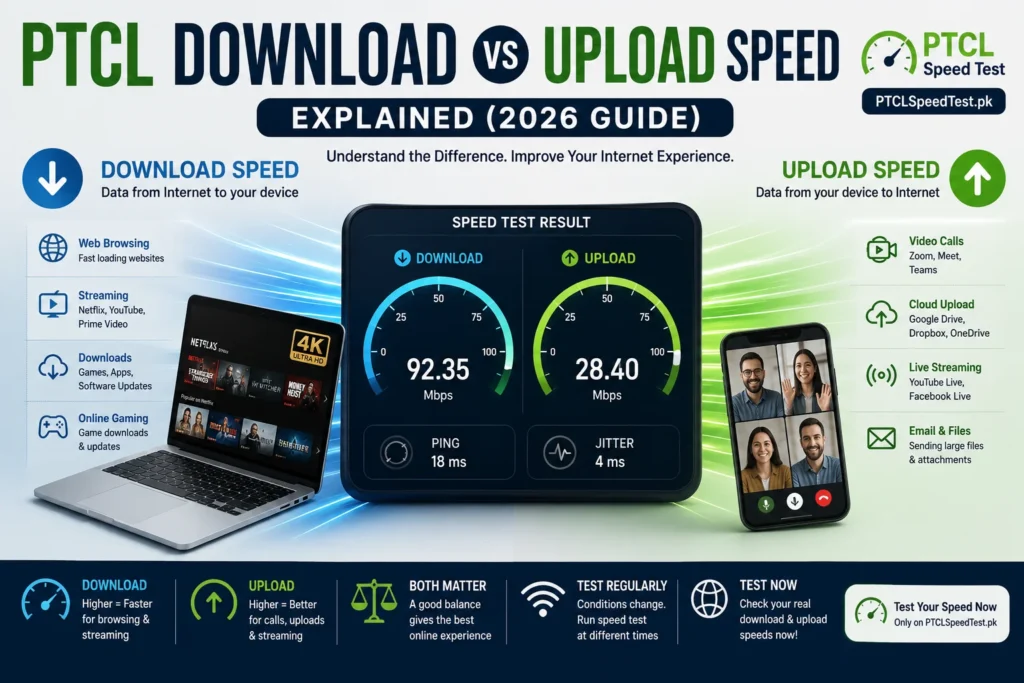
Most people know their download speed. Fewer people know their upload speed — and even fewer know why it matters. That imbalance makes sense: download speed is the number that gets printed on package ads, the one everyone compares, the one that decides how fast Netflix loads. Upload speed rarely gets the same attention, even though it quietly controls whether your video calls freeze, whether your files upload in seconds or minutes, and whether your gaming feels smooth.
This guide explains both in plain language, shows exactly where each one matters in daily life, and clears up why your PTCL connection might handle one far better than the other.
What Is Download Speed?
Download speed measures how fast data travels from the internet to your device. Every time you open a webpage, watch a video, or download a file, your device is pulling data in — and download speed is what determines how quickly that data arrives.
It’s measured in Mbps (megabits per second). A higher number means data reaches you faster, which translates into quicker page loads, smoother streaming, and shorter waits for downloads to finish.
Think of it as a pipe bringing water into your house. A wider pipe (higher download speed) lets more water flow in at once. Almost everything you do casually online — scrolling, watching, browsing — depends primarily on this “incoming” flow.
What Is Upload Speed?
Upload speed measures the opposite direction: how fast data leaves your device and travels out to the internet. Every time you send a message with an attachment, post a photo, join a video call, or back up files to the cloud, you’re relying on upload speed.
Using the same pipe analogy — if download speed is water flowing into your house, upload speed is water flowing back out. Most home internet connections are built with a wider “in” pipe than “out” pipe, because most everyday activity involves far more receiving than sending. But when you do need to send something — especially in real time, like a video call — a narrow upload pipe becomes very noticeable, very quickly.
Besides download and upload speed, packet loss can also affect gaming and video calls. Even with high speeds, lost data packets can cause lag, voice breakup, or unstable connections.
Download vs Upload Speed Comparison Table
| Aspect | Download Speed | Upload Speed |
|---|---|---|
| Direction | Internet → your device | Your device → internet |
| Typical size | Usually higher | Usually lower |
| Powers | Browsing, streaming, downloading | Video calls, uploads, live streaming |
| Noticed when | Pages load slowly, video buffers | Calls freeze, uploads crawl |
| Matters most for | Netflix, YouTube, software downloads | Zoom, Google Drive, live streaming |
| Common misconception | “This is the only number that matters.” | “This barely matters.” |
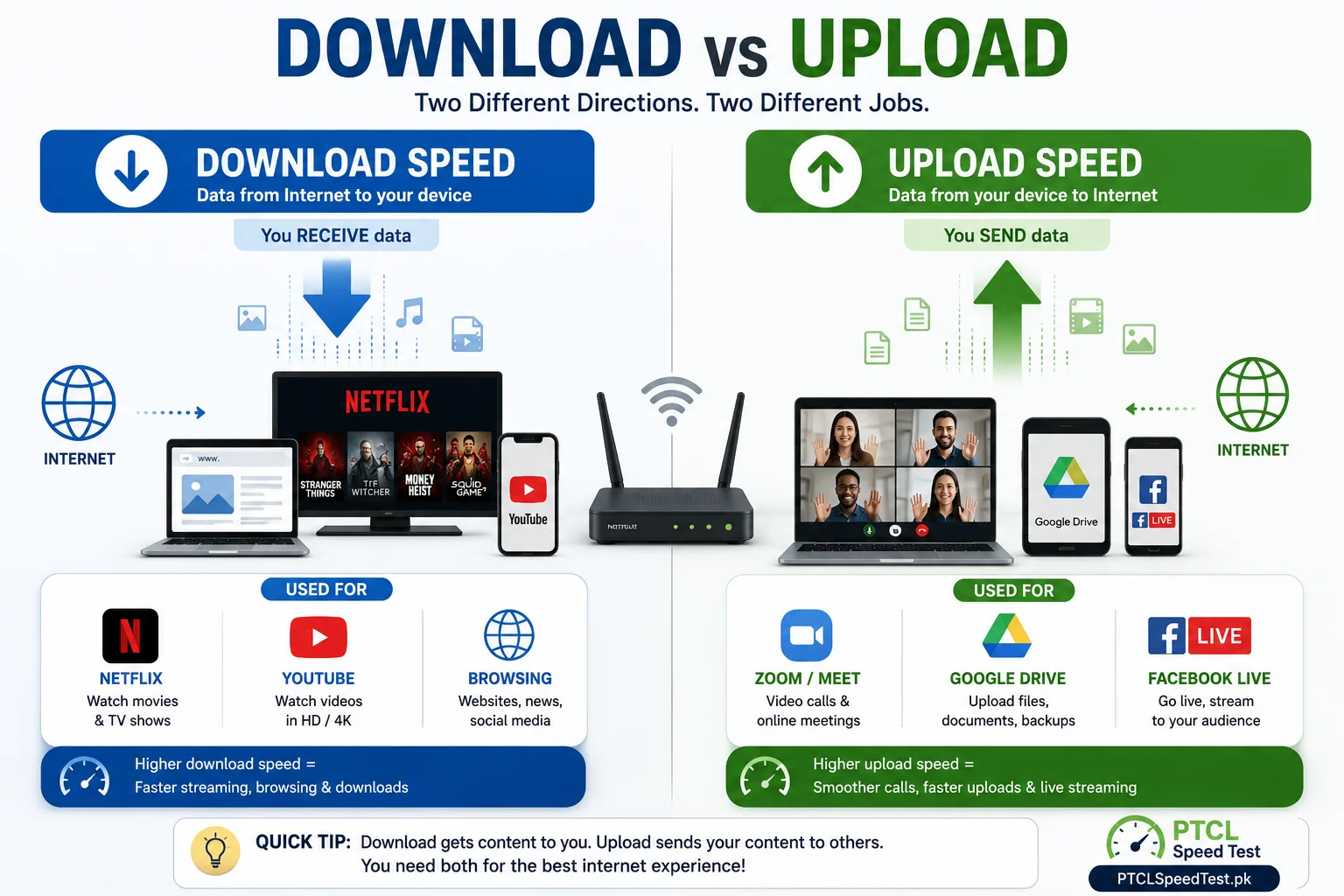
💡 Quick Tip
If Netflix works perfectly but your Zoom calls freeze, the problem is usually upload speed, not download speed.
Why Download Speed Matters
Download speed is the backbone of almost every passive online activity — the things you do without actively sending anything back out.
Web browsing: Every webpage you open is a download. Images, text, and video all get pulled to your device the moment you click a link.
Netflix: Streaming video is one continuous download — your download speed determines whether you get instant, smooth playback or repeated buffering, especially at higher resolutions.
YouTube: Similar to Netflix, though YouTube’s ability to adjust video quality on the fly means a slower connection often just drops resolution automatically rather than stopping playback entirely.
Facebook: Scrolling a feed full of photos and videos is a constant stream of small downloads—usually light on bandwidth individually, but adding up quickly with heavy video content.
Software downloads: Installing a new app or program is a direct test of raw download speed — a larger file simply takes proportionally longer on a slower connection.
Windows updates: Operating system updates can be large, and a slow download speed is the most common reason updates seem to “hang” for a long time before installing.
Game downloads: Modern games and their updates are often tens of gigabytes. This is where download speed differences become most obvious in terms of actual waiting time.
Why Upload Speed Matters
Upload speed governs anything where your device is the one sending data — and it’s more central to daily life than most people realize.
Zoom, Google Meet, Microsoft Teams: Every video call depends on your device continuously sending audio and video out. A weak upload speed is the single most common reason your video freezes or your voice cuts out, specifically when you’re the one talking.
WhatsApp video calls: Same principle as any other video call app — the quality of what the other person sees and hears from you depends on your upload speed, not your download speed.
Facebook Live and YouTube Live: Live streaming is one of the most upload-intensive things a home connection does, since it requires a continuous, stable outbound stream in real time, not just a quick burst of data.
Uploading videos: Posting a video to YouTube or sharing a large clip is a direct upload task — the bigger the file and the slower your upload speed, the longer it takes.
Google Drive, Dropbox, OneDrive: Syncing files to cloud storage is entirely upload-dependent. Large folders of photos or documents can take noticeably longer to sync on a limited upload connection.
Cloud backup: Automatic phone or laptop backups run in the background and quietly compete with anything else needing upload bandwidth at the same time — often the invisible reason other upload tasks feel slower than expected.
Email attachments: Sending a large attachment is a small-scale upload task, but on a very limited upload connection, even this can take longer than expected.
Which One Is More Important?
Neither speed is universally “more important”—it depends entirely on what you spend your time doing online.
Students: Mostly download-dependent — research, video lectures, and downloading study material rely heavily on download speed. Upload matters mainly when submitting assignments or joining online classes with video.
Office workers: A more balanced need — downloading documents and resources matters, but so does uploading files, joining calls, and syncing cloud storage throughout the day.
Gamers: Downloads matter for game installs and updates, but day-to-day gameplay depends more on connection stability and upload speed than most people expect, since your device is constantly sending your actions to the game server.
YouTubers and streamers: Upload speed is arguably the single most important number for this group. Uploading finished videos and live streaming both depend entirely on a strong, stable upload connection.
Families: Usage is typically mixed and simultaneous — one person streaming (download-heavy) while another is on a video call (upload-heavy) — so both numbers matter, especially as household size grows.
Remote workers: Similar to office workers, but often more upload-dependent, specifically because of the volume of video calls and file uploads a fully remote day tends to involve.
Typical PTCL DSL Download vs Upload
DSL connections are built on copper telephone lines, and this technology has an inherent asymmetry: download speed is prioritized far more heavily than upload speed.
This isn’t a fault or a limitation specific to PTCL — it’s a characteristic of DSL technology in general. Copper-based DSL was originally designed around the assumption that most home usage would be downloading (browsing and streaming) rather than uploading, so the available bandwidth is split unevenly in favor of download.
In practice, this means DSL users often notice a much bigger gap between their download and upload numbers than fiber users do. A DSL package that offers a comfortable download speed may still leave upload speed feeling limited, especially for anyone doing frequent video calls or cloud uploads.
For exact current speed tiers, see PTCL Packages—this article focuses on explaining the underlying technology rather than specific numbers, since package details change over time.
Typical PTCL Flash Fiber Download vs Upload
Flash Fiber, PTCL’s fiber-to-the-home service, doesn’t share DSL’s copper-based asymmetry. Fiber-optic technology is capable of delivering upload speeds that are much closer to download speeds — sometimes described as more “symmetrical” — because it isn’t constrained by the same electrical limitations copper wiring has.
In practice, this means Flash Fiber users generally experience a smaller gap between download and upload performance than DSL users do. This is one of the more meaningful, if underappreciated, advantages of fiber over DSL: it’s not just that fiber tends to be faster overall, it’s that the upload side specifically improves by a larger margin.
If you’re deciding between the two technologies and upload-heavy tasks — video calls, live streaming, cloud uploads — are a regular part of your routine, this is a genuinely important factor to weigh. See PTCL DSL vs Flash Fiber for a fuller comparison of both technologies.
Common Problems
Why is my upload slower than my download? This is expected behavior on most home internet connections, and especially pronounced on DSL. Providers generally allocate more bandwidth to download than upload because most typical usage is download-heavy — this isn’t usually a fault to report.
Why does video freeze even though my download speed is fast? Video calls depend on upload speed for the video and audio you’re sending out. A fast download speed says nothing about your upload capacity — these are separate numbers, and a call can freeze specifically because of a weak upload speed even while your download speed looks excellent.
Why is gaming laggy even with high download speed? Gaming lag is usually about ping and connection stability, not raw download speed. Your device is constantly sending small amounts of data to the game server — a task that depends more on a stable, responsive upload connection than on how much data you can pull down at once.
How to Improve Both
A few practical steps genuinely help both download and upload performance:
Use Ethernet where possible. A wired connection removes WiFi signal loss from the equation entirely, often improving both speeds noticeably.
Improve router placement. A central, open location — away from walls, metal objects, and other electronics — helps WiFi carry both download and upload traffic more effectively.
Use the 5GHz WiFi band if your router supports it. 5GHz generally offers faster speeds at shorter range, which can meaningfully improve both numbers for devices close to the router.
Restart your router periodically. This clears minor technical issues that can quietly affect performance in both directions.
Check for background downloads. App updates, game downloads, and cloud syncs running in the background consume download bandwidth even when you’re not actively using anything.
Check for background uploads. Automatic photo backups and cloud sync tools can quietly consume upload bandwidth at the same time you need it for something else, like a video call.
Check your package. If both numbers are consistently limited even after ruling out the above, it may simply reflect your current package’s actual tier — see What Is a Good PTCL Internet Speed? to figure out what tier actually fits your usage.
Run multiple speed tests. A single test is a snapshot, not a full picture — testing at different times gives a much more accurate sense of your typical performance.
How to Test Download & Upload Speed
The only reliable way to know your actual download and upload speeds — rather than assume based on your package name — is to test them directly.
Head to the PTCL Speed Test homepage and run a test. It measures both numbers in under a minute, alongside ping and jitter, giving you a complete picture rather than just half of it.
Why multiple tests matter: a single result reflects conditions at that exact moment — how many devices are active, how busy the network is, which server you connected to. Running the test a few times, ideally at different times of day, gives you a much more reliable sense of your connection’s real, typical performance rather than one possibly unrepresentative snapshot. If you’re not sure how to read what comes back, Understanding PTCL Speed Test Results breaks down every number in detail.
Frequently Asked Questions
What’s the difference between download and upload speed? Download speed measures how fast data reaches your device from the internet. Upload speed measures how fast data leaves your device and goes out to the internet — they’re separate numbers measuring opposite directions.
Why is my upload speed always lower than my download speed? Most home internet connections, including PTCL DSL, are designed with more bandwidth allocated to download than upload, since most typical usage involves more downloading than uploading.
Does Flash Fiber have better upload speed than DSL? Generally yes. Fiber-optic technology can deliver upload speeds much closer to download speeds than copper-based DSL can, due to differences in the underlying technology.
Which speed matters more for gaming? Neither speed alone tells the full story — connection stability and ping matter more for gaming than either raw download or upload speed on its own.
Why does my video call freeze even though streaming works fine? Streaming depends on download speed; video calls depend heavily on upload speed. A connection can stream smoothly while still struggling with calls if upload speed is limited.
How much upload speed do I need for Zoom? Video calls need a steady, consistent upload speed more than a very high one — inconsistency in upload performance is often the actual cause of choppy calls, not just a low number.
Is download speed more important than upload speed? It depends on your usage. Passive activities like browsing and streaming depend on download; active activities like calls and uploads depend on upload speed. Most people need a reasonable balance of both.
Can I improve my upload speed without changing my package? Yes, to an extent. Using Ethernet, restarting your router, choosing the right WiFi band, and reducing background uploads can all meaningfully improve your effective upload performance.
Why is DSL upload speed usually much lower than download speed? This comes from how DSL technology works over copper telephone lines, which allocates significantly more bandwidth to download than upload by design.
Does uploading to Google Drive use the same speed as downloading files? No. Uploading to Google Drive uses your upload speed; downloading files from it uses your download speed. These are measured and often perform differently on the same connection.
How often should I test my download and upload speed? There’s no fixed schedule, but testing periodically — and especially when something feels off — helps you understand your connection’s typical pattern rather than relying on a single result.
Where can I test both my download and upload speed on PTCL? You can test both, along with ping and jitter, directly on the PTCL Speed Test homepage in under a minute.
Can download speed affect upload speed?
Usually no — download speed and upload speed are separate parts of your internet connection. A slow download speed doesn’t automatically reduce your upload speed, and a slow upload speed doesn’t automatically reduce your download speed.